
Booking System Implementation: 5 Best Practices for Customer-Facing Businesses
Implementing a new booking system is more than installing software; it’s redesigning how your business manages its most valuable asset: time.
For any customer-facing business, from service agencies to health practices, the goal of a booking system is to move beyond simple scheduling to achieve operational efficiency and professional monetization.
This guide outlines five best practices for a successful, integration-first booking system implementation.
Best Practice 1: Centralize Capacity (The Single Source of Truth)
A fragmented calendar is the enemy of efficiency. The first step in implementation is consolidating all available time into one location.
- Action: Connect All Calendars: Link every calendar—personal, professional, and team—to your booking system (e.g., Google, Outlook, etc.). This prevents the most common error: double-bookings.
- Action: Define Non-Bookable Time: Use your system to clearly block out time for internal meetings, deep work, or administrative tasks (Buffer Time) so clients can only book during true availability.
- Action: Create a Detailed Service Catalog: Define the exact duration, price, and required resources for every service. This eliminates back-and-forth communication and ensures clients are self-qualifying when they book.
💡 LogicSuite Connection: LogicSuite’s Meetings and Bookings Modules act as the single source of truth for your time, eliminating email tennis and manual error from the start.
Best Practice 2: Automate Monetization (Payment-First Approach)
For service businesses, a booking is a revenue opportunity. A best-in-class implementation integrates payment collection directly into the workflow, protecting your income.
- Action: Require Upfront Payment: For all paid services, mandate payment collection at the moment of booking through an integrated payment processor (e.g., Stripe Connect). This immediately shifts risk from your business to the client.
- Action: Enforce No-Show Protection: Utilize the system’s automated reminders (email/SMS) and the upfront payment rule to drastically reduce no-shows and cancellations.
- Action: Offer Transparent Pricing: Ensure every booking link clearly displays the price, maximizing professional polish and reducing client confusion.
💡 LogicSuite Connection: The Bookings Module is built to transform service delivery into a profitable operation by integrating upfront payment collection and no-show protection.
Best Practice 3: Integrate Team Coordination and Capacity
If your business has more than one employee, the booking system must handle complex team logistics flawlessly.
- Action: Set Smart Routing Rules: Implement rules for clients to book the right team member based on specialization, service type, or simple round-robin availability.
- Action: Define Team Availability: Ensure the system accounts for differential team schedules, time zones, and individual working hours, providing a unified client experience regardless of which team member they book.
- Action: Plan for Capacity (Future-Proofing): As your team grows, your system should integrate team time-off (PTO) to prevent scheduling conflicts with client commitments.
💡 LogicSuite Connection: LogicSuite transforms team coordination chaos into operational excellence, optimizing schedule utilization across your team and setting the stage for future PTO and project management integrations.
Best Practice 4: Build the Operational Bridge
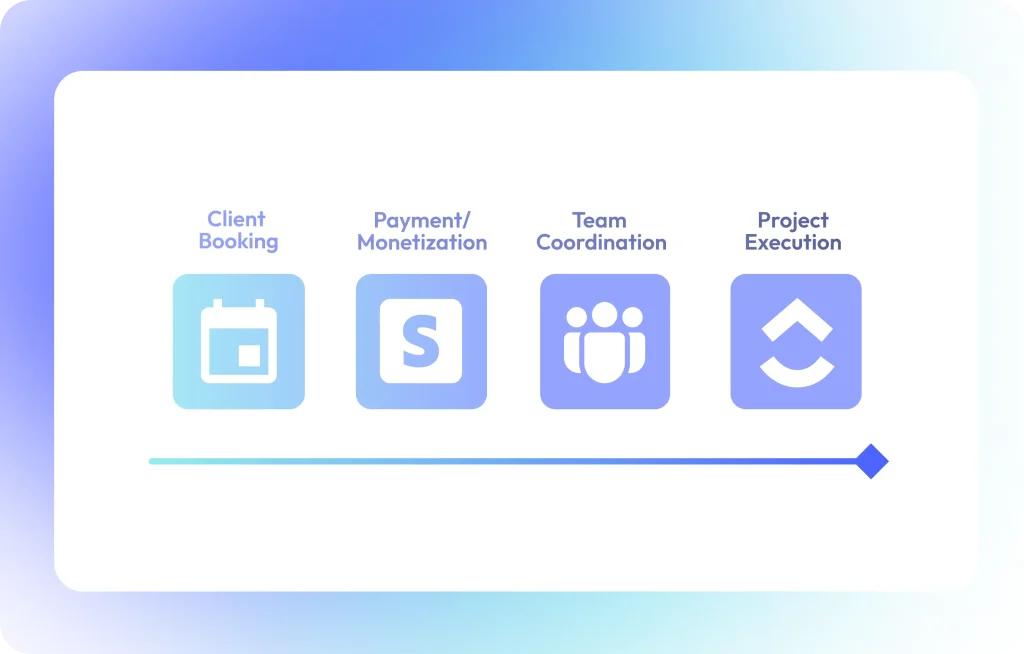
The single biggest mistake in booking system implementation is treating it as a point solution. A successful system must act as a bridge, automatically transferring data to the next step of your business lifecycle.
- Action: Plan the Follow-Up Workflow: Determine the necessary action after a client books (e.g., project setup, time tracking, invoice generation).
- Action: Implement Conversion Automation: Use your system to automatically convert a successful booking into the next action. For example, a confirmed client booking should automatically create a project task in your project management tool or initiate time tracking.
- Action: Eliminate Manual Data Entry: Ensure client data, service details, and payment information flow seamlessly across systems, eliminating the errors and delays of manual data transfer.
💡 LogicSuite Connection: LogicSuite is an integration-first platform that seamlessly connects client bookings to project management (ClickUp), time tracking (Harvest), and other operational excellence tools.
Best Practice 5: Prioritize the Client Experience
A smooth, professional client experience is non-negotiable for service businesses.
- Action: Use a Branded Interface: Ensure the booking pages are clean, mobile-responsive, and branded to reflect the quality and polish of your service.
- Action: Simplify the Journey: Minimize the number of clicks required for a client to book and pay. Every unnecessary step increases friction and conversion dropout.
- Action: Consolidate Tools: Use one platform for all client coordination (meetings, bookings, events/tickets). This avoids confusing clients with multiple links for different services.
Conclusion: Stop Fragmenting, Start Integrating
A successful booking system implementation transforms your business from a collection of fragmented tools into a unified, efficient operation.
By following these five best practices, you build a foundation that not only finds time but monetizes time, coordinates your team, and scales with your growth.
Bridge your tools. Unify your operations.